
Integrate e-mandates
An e-mandate is a SEPA Direct Debit mandate that your customer signs online. Before the customer signs, Fintecture checks that they own the bank account to be debited. Fintecture then generates the signed mandate as a PDF and keeps you informed of its status.
E-mandates follow the SEPA CORE scheme and are always in EUR.
How it works
- Your backend creates the e-mandate with the customer's details. The e-mandate starts in
draftand comes with a link for the customer (links.next). - You redirect the customer to that link, or ask Fintecture to email it to them.
- The customer proves they own the account to debit, either by connecting to their bank or by making a bank transfer.
- The customer reviews the mandate and signs it.
- The e-mandate becomes
active. The customer receives the signed mandate PDF by email, you receive a webhook, and the customer is redirected to yourredirect_uri.
What your customer sees
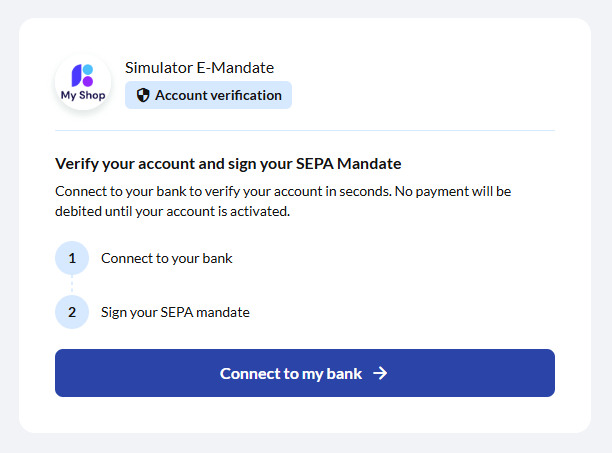
The customer first lands on the invitation page, which shows your name and the two steps.
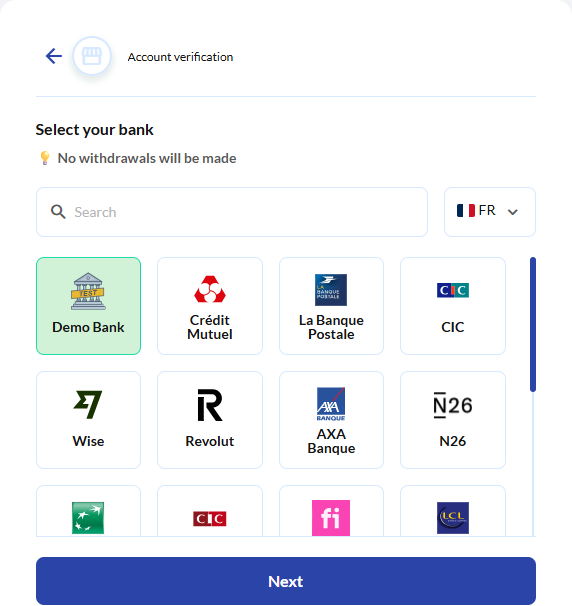
They select their bank and connect to it. No payment is made at this stage.
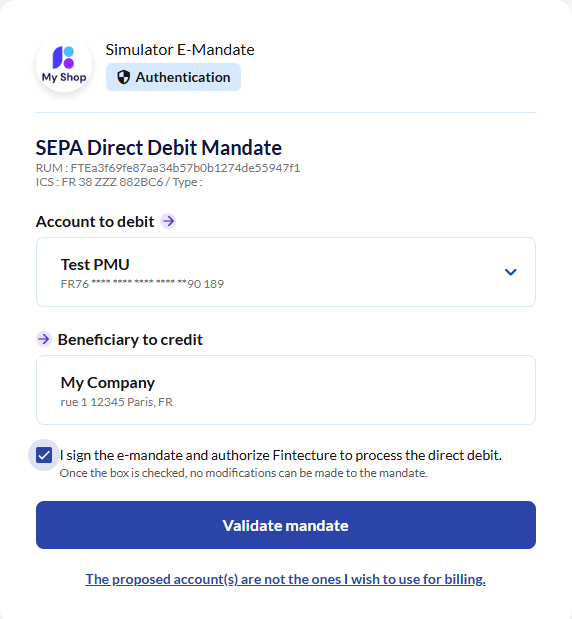
Back on Fintecture, they review the mandate (its unique reference, your creditor identifier, the account to debit and the beneficiary), tick the consent box and validate.
Verification methods
| Method | authentication_methods value | What the customer does |
|---|---|---|
| Bank connection (Open Banking) | bank_account | Connects to their bank. The account is verified instantly. |
| Bank transfer | bank_transfer | Sends a transfer from the account to debit. The account is verified when the transfer is received and matched. |
Both methods are offered by default, bank connection first. You can restrict or reorder them when you create the e-mandate.
Before you start
- Create a Fintecture account and register a client application with the
e-mandatesscope. - Make sure your application has a beneficiary. Its name and address are printed on the mandate as the creditor.
- Have your SEPA creditor identifier (ICS) at hand. Your bank issues it, and it is printed on every mandate.
- Configure a webhook for the
emandates.status.*events. This is optional but recommended.
Integration steps
- Request an E-Mandate access token.
- Create an e-mandate and send your customer to
links.next. - Follow its status through webhooks, or by reading the e-mandate.
- Cancel, revoke or restart it when needed.
Every attribute and status is described in E-Mandate object.
Production requests are signedIn production, every e-mandate call also needs an HTTP Signature on top of the Bearer token. Signing is optional in sandbox.
Test in sandbox
- Create an e-mandate on
https://api.sandbox.fintecture.comwith aredirect_uriyou control. - Open
links.nextin a browser. - Select Demo Bank and authorise account sharing. Sandbox banks return static test accounts.
- Tick the consent box and click Validate mandate.
- You are redirected to your
redirect_uriwithstatus=active, and your webhook receivesemandates.status.active.
Updated about 1 hour ago