
Event Simulator
The Event Simulator lets you simulate events that happen in production — incoming transactions, outgoing payments, and bank status updates — so you can test your full integration in sandbox.
For the full end-to-end testing workflow, see Testing Complete Payment Flows in Sandbox.
Overview
The Event Simulator supports three types of simulation:
| Type | What it simulates | When to use it |
|---|---|---|
| Credit | Incoming funds on your acquiring account | To confirm settlement after payment_created, or to simulate Smart Transfer payments |
| Debit | Outgoing funds from your acquiring account | To execute a refund or payout in sandbox |
| Bank Transition | Bank sending an asynchronous status update | To move a pending payment to a final status (success or failure) |
Access the Event Simulator: Console > Developers > Event Simulator
Simulate a pay-in (Credit)
Simulates receiving funds from a debtor (payer) on your Fintecture acquiring account. In production, this happens when the payer's bank executes the transfer. In sandbox, you trigger it manually.
When to use
- After a payment reaches
payment_createdon an acquiring account — to confirm settlement (transfer_state: received). See Phase 3 — Settlement for the full workflow - For Smart Transfer — to simulate the payer sending the bank transfer to the virtual IBAN. See Smart Transfer scenarios for how to reach
payment_pendingfirst - To test partial payments (send less than expected) or overpayments (send more)
How to simulate
- Go to Developers > Event Simulator
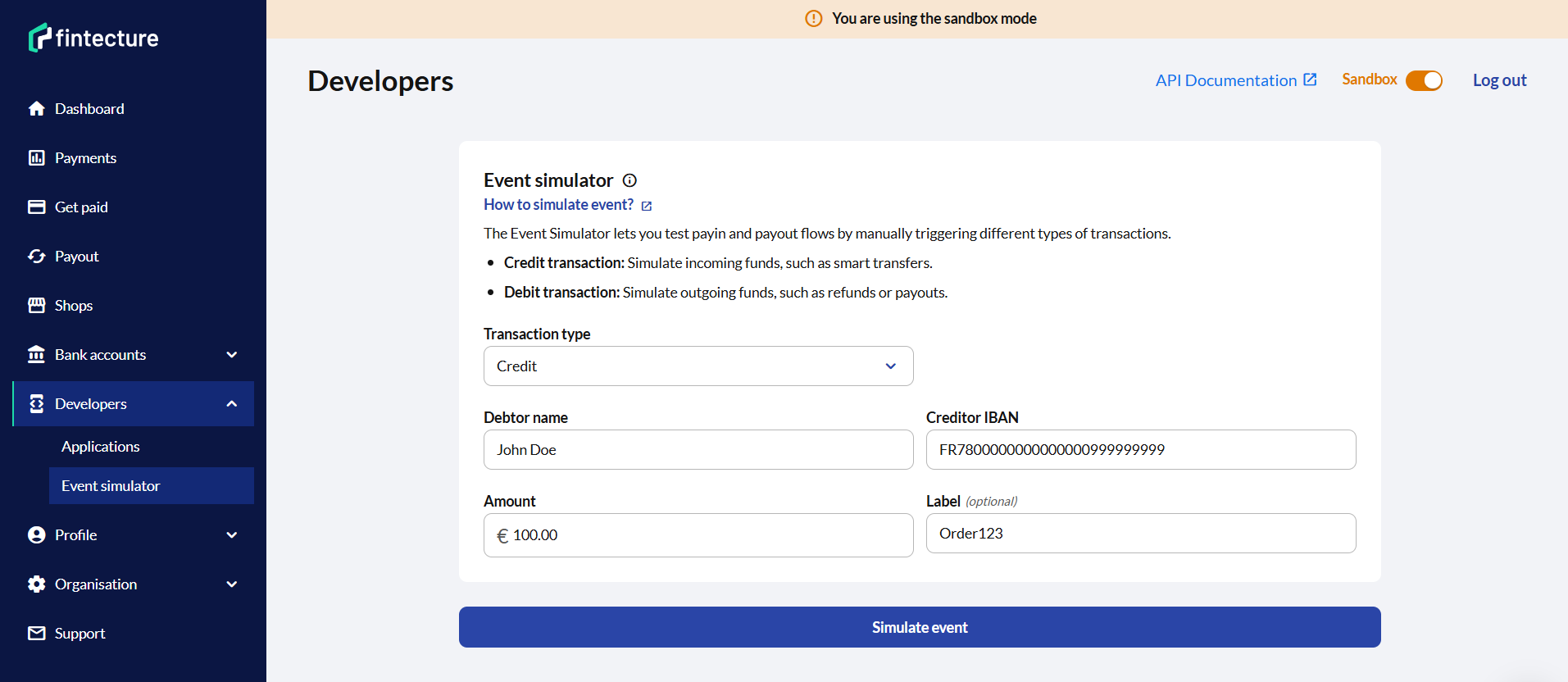
- Select Credit type
- Fill in the required fields: amount, currency, debtor name, creditor IBAN
- Optionally add an internal reference and label
- Click Simulate event
Shortcut: From a payment's detail page, click Actions > Simulate event to pre-fill all fields automatically.
What happens
- A credit transaction is created on the acquiring account
- If the transaction matches a pending payment session (by IBAN + amount for Smart Transfer, or by reconciliation), the session's
transfer_stateupdates toreceived - Configured webhooks are triggered
- The payment status will update within seconds
Simulate a debit (refund or payout)
Simulates an outgoing payment from your Fintecture acquiring account. In production, Fintecture initiates the SEPA transfer. In sandbox, you simulate the bank confirming the execution.
When to use
- To complete a refund — after creating the refund via Console. See Testing refunds for the full workflow
- To complete a payout — after creating the payout via Console. See Testing payouts for the full workflow
Refund flow
- Go to the payment in Console > click Actions > Refund
- Choose partial or full refund and confirm
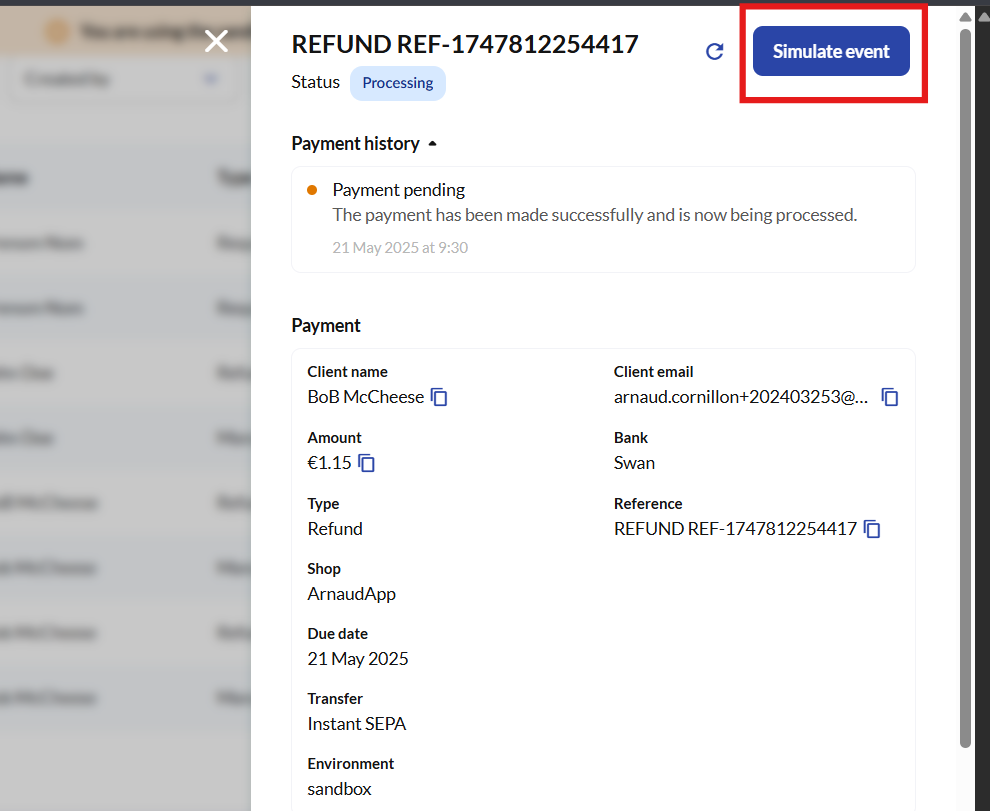
- Open the refund payment details (click the refund row in the payment list)
- Click Actions > Simulate event — this redirects to the Event Simulator with pre-filled data
Or manually:
- Go to Developers > Event Simulator
- Select Debit type
- Enter the refund's
session_id - Select the transaction status and optionally a transfer reason
- Click Simulate event
Prerequisite (acquiring accounts): The original payment must have
transfer_state: receivedbefore you can process a refund. Simulate a Credit first to achieve this.
Payout flow
-
Create a payout via Console (sidebar tab Payout), this will create a
RequestForPayoutsession in statusiban_required. The payee's IBAN is not yet known so an AIS step has to be performed using the retrieved Connect link.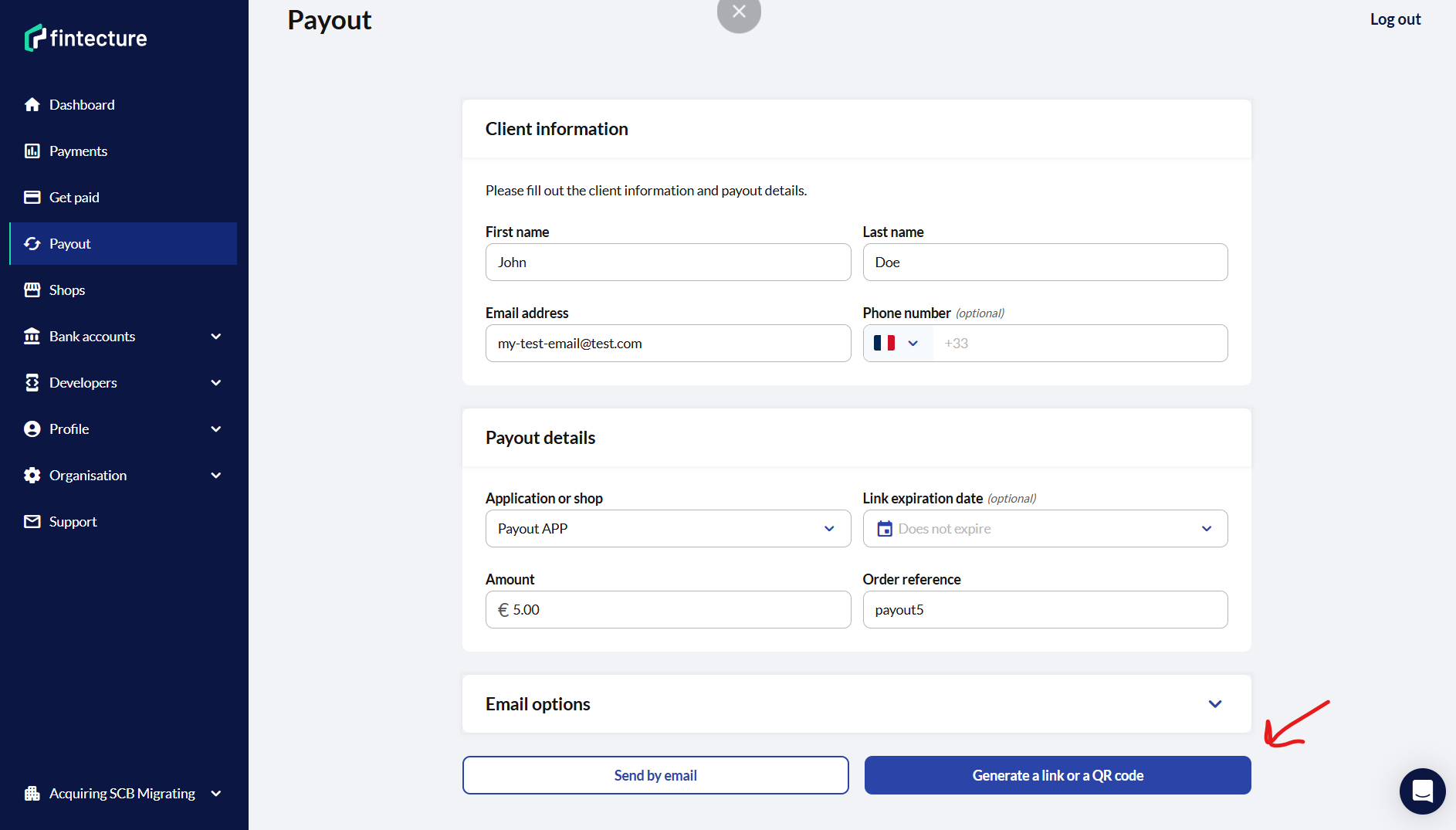
-
Open the Connect link & perform the AIS step (e.g. select CIC bank -> login + click Authorize on CIC sandbox -> you will be redirected back to Connect with a selector to validate the IBAN to use -> click "Confirm")
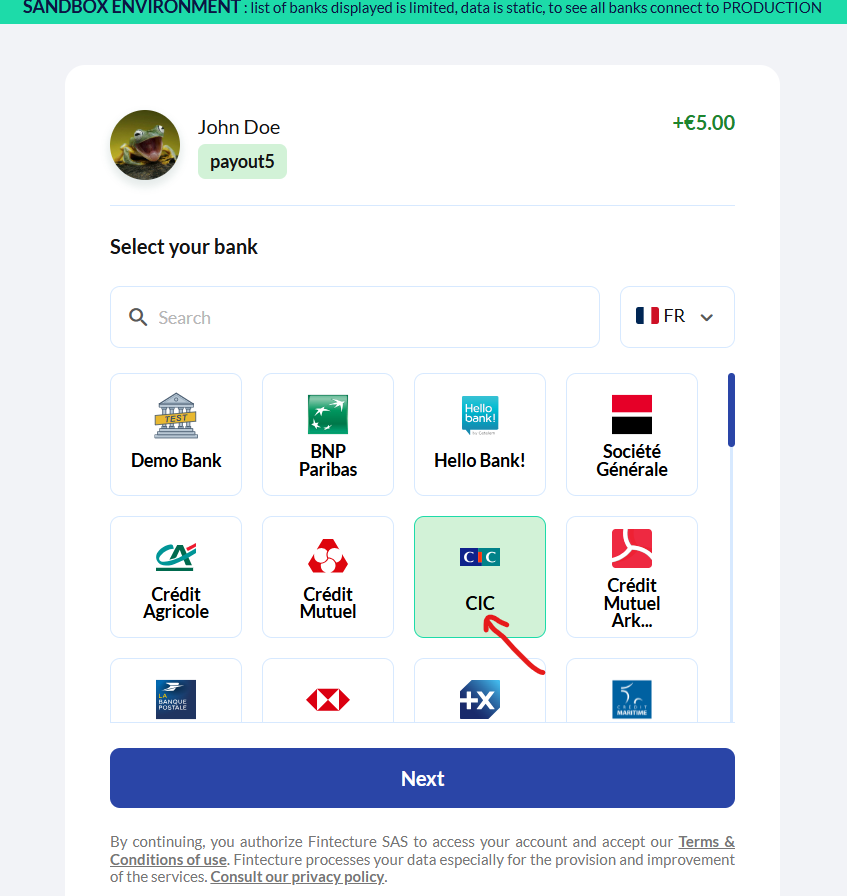
Payout bank selector to perform the AIS step
-
After the Connect redirection confirm this account (the IBAN will now be set on the payment, session in
iban_received& the payment will soon be initiated). Internally we create a debit transaction in statuspending.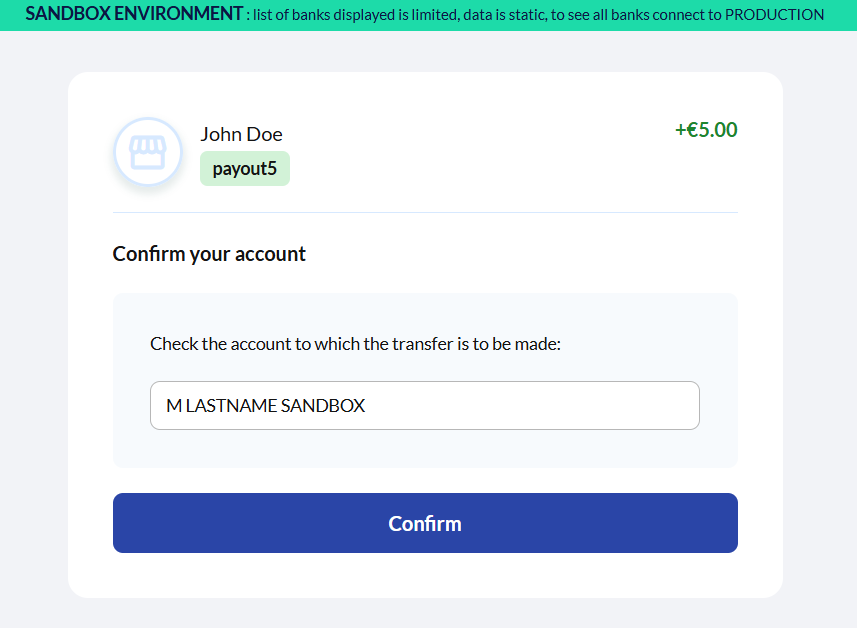
Payout account selection after the AIS
-
The Connect payout status page should be displayed, your payout will soon transition from status
iban_receivedtopayment_pendingonce the debit transaction executes in our Sandbox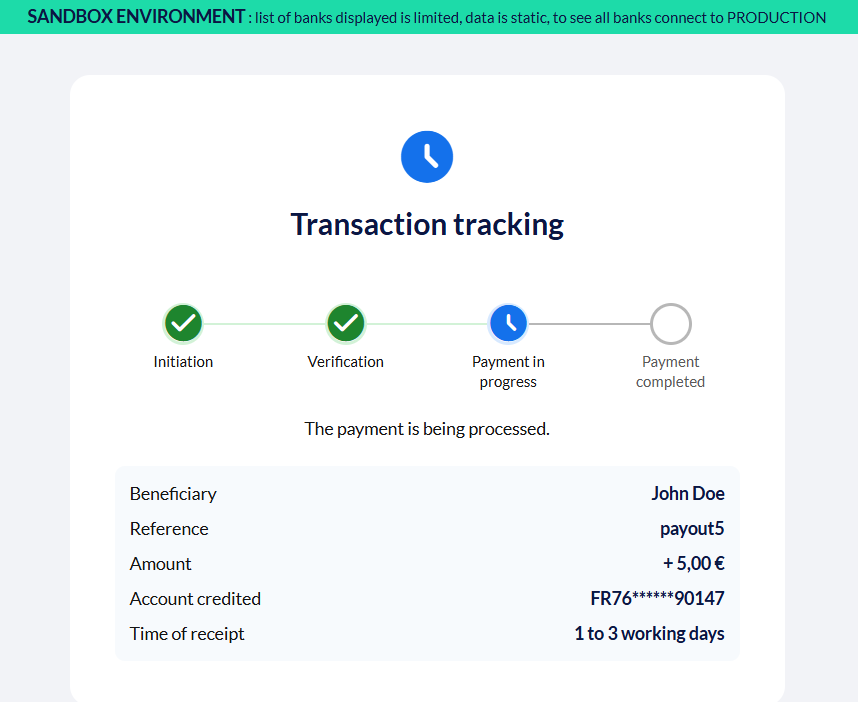
Payout status page
-
Then go to Developers > Event Simulator in the Console
-
Select Debit type, paste the payout
session_id& fill the remaining fields. Use statusCompletedfor a successful payout or statusRejectedfor an unsuccessful scenario.- Depending on the selected status, the debit transaction will be updated internally & the pps will also update & trigger webhooks. You can test different scenarios via the EventSimulator
- ⚠️If you don't perform this EventSimulator step, your payout session will remain
payment_pendingindefinitely
-
Click Simulate event, your payout session will update and you can refresh the Connect payout status page after this to see the final status
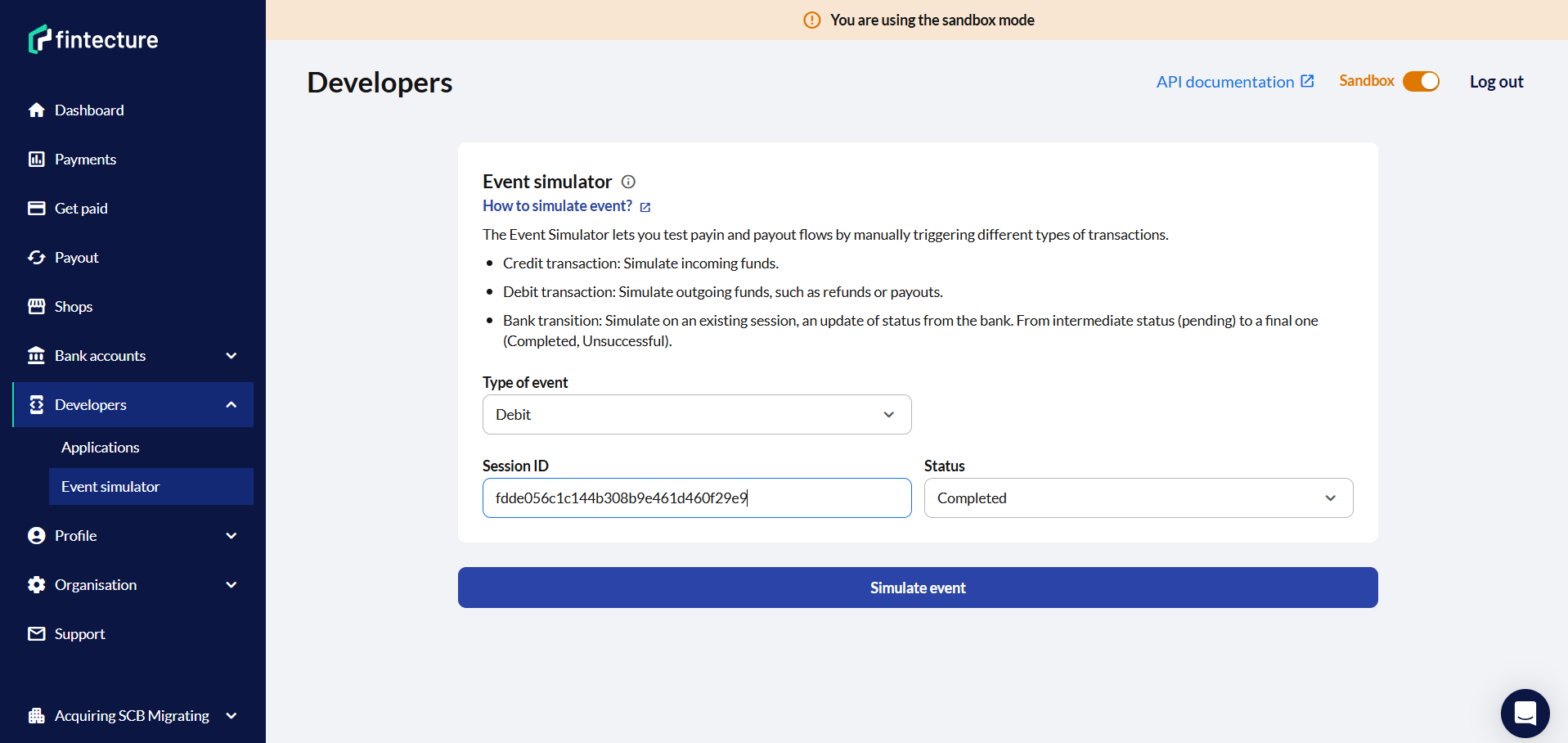
EventSimulator config for a successful payout (Completed)
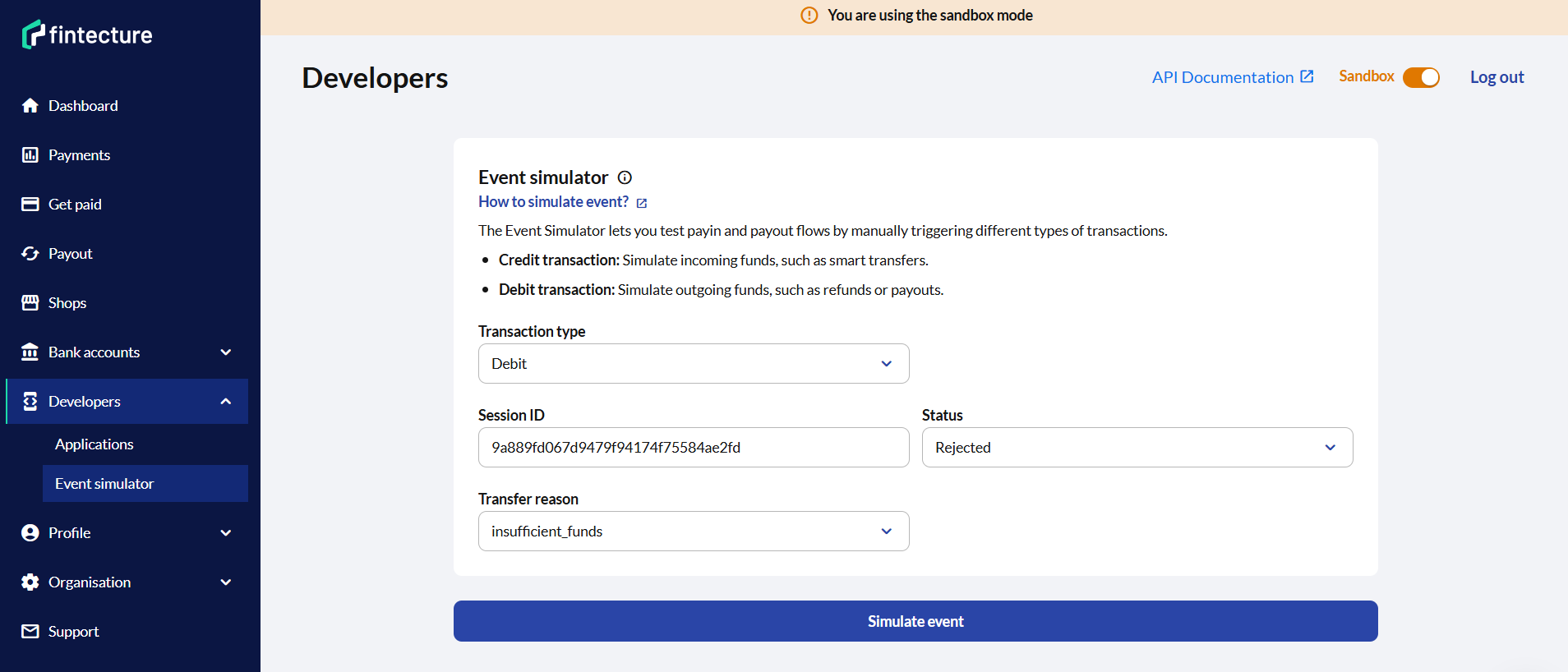
EventSimulator config for an unsuccessful payout
Form fields
| Field | Required | Description |
|---|---|---|
| Session ID | Yes | The session_id of the refund or payout |
| Status | Yes | Transaction status (see options below) |
| Transfer reason | No | Reason for rejection (only when status is Rejected) |
Status options: Completed, Sent, Pending, Rejected, Returned
- Note:
Sentis an intermediate status mapped topayment_pending,Returnedis an edge case status where funds can be returned to the payout account if creditor bank refuses the funds. The transfer_state of such payout will be set toreturnedvia webhook
Transfer reason (only when status is Rejected): insufficient_funds, closed_account, blocked_account, fraud_suspected, technical, unknown, customer, regulatory_reason, transaction_forbidden
What happens
- A debit transaction is created on the payout account & depending on the selected status in the EventSimulator, the payout session status is updated
- Configured webhooks are triggered
Simulate a bank transition
Simulates the asynchronous status update that a bank sends to Fintecture after a payment is initiated. In production, this callback arrives automatically. In sandbox, you need to trigger it manually for payments left in payment_pending.
When to use
- When a payment is in
payment_pendingstatus and you want to move it topayment_createdorpayment_unsuccessful. See Phase 2 — Bank transition for when this fits in the testing workflow - Sandbox only — this simulation is not available in production
- The session must currently be in
payment_pendingstatus. Use the Demo Bank to reach this state
How to simulate
- Go to Developers > Event Simulator
- Select Bank Transition type
- Enter the payment's Session ID
- Select the target session status:
payment_created— payment succeedspayment_unsuccessful— payment fails
- If
payment_created: select transfer state (completedorreceived) - If
payment_unsuccessful: optionally select a transfer reason - Click Simulate event
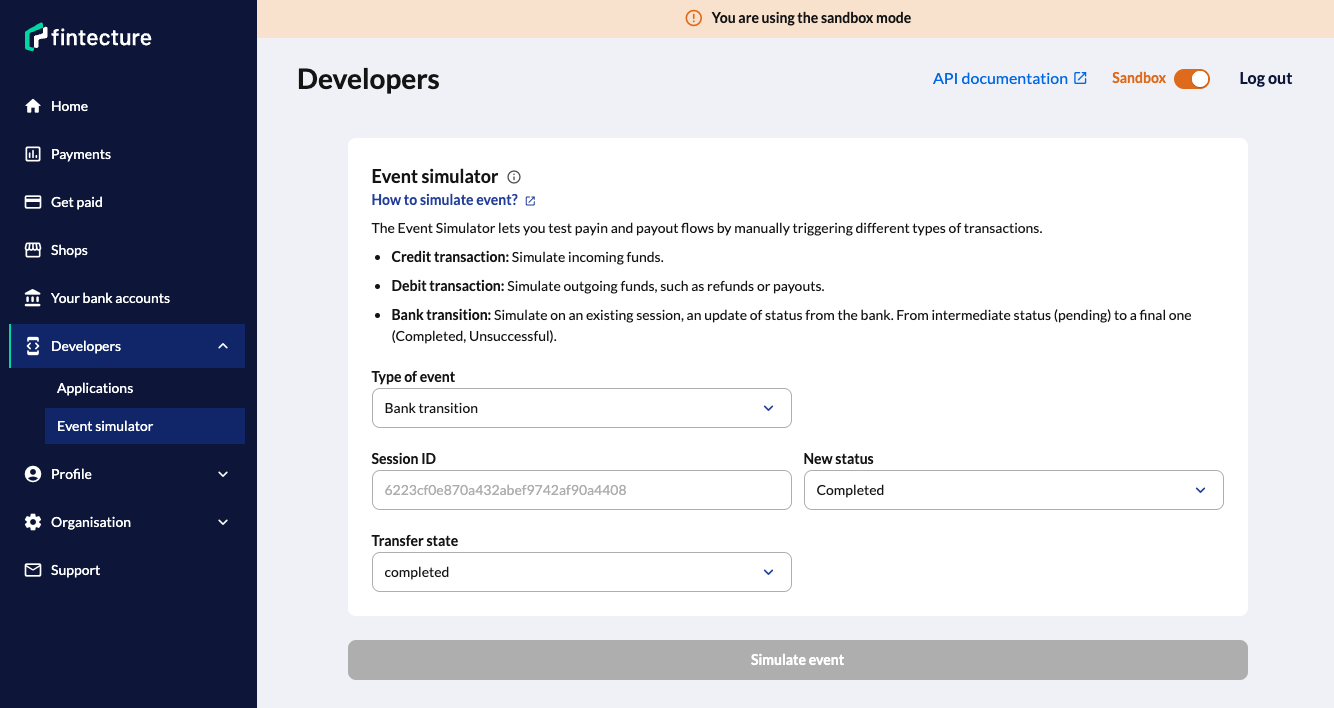
Form fields
| Field | Required | Description |
|---|---|---|
| Session ID | Yes | The session_id of the pending payment |
| Session status | Yes | payment_created or payment_unsuccessful |
| Transfer state | Only for payment_created | completed or received |
| Transfer reason | Only for payment_unsuccessful | Reason for rejection (see options below) |
Transfer reason options: insufficient_funds, closed_account, blocked_account, fraud_suspected, technical, unknown, customer, regulatory_reason, transaction_forbidden
What happens
- The payment session is updated to the new status — exactly as if the bank had sent the real callback
- All the logical events ensue: the corresponding webhooks and notification emails are sent
- You will see the updated status in the Console payment details page
Constraints
- Sandbox only — simulations are not available in production.
payment_pendingrequired — the session must currently be inpayment_pendingstatus.- Valid transitions only — you cannot transition to the same status or to an invalid status.
After a successful bank transition
If the beneficiary is an acquiring account, transitioning to payment_created is only part of the flow. You still need to simulate a Credit transaction to confirm settlement — unless you used transfer_state: received in the transition, which is equivalent to simulating the credit transaction as well as receiving the payment_created status.
Summary — which simulation to use
| I want to... | Simulation type |
|---|---|
| Confirm settlement on acquiring account | Credit |
| Simulate a Smart Transfer payment | Credit |
| Execute a refund in sandbox | Debit |
| Execute a payout in sandbox | Debit |
| Move a pending payment to success/failure | Bank Transition |
Related guides
| Guide | What it covers |
|---|---|
| Testing Complete Payment Flows | Full end-to-end testing workflow with all phases |
| Demo Bank | How the Demo Bank works, available outcomes |
| Payment Session Status | All possible statuses and their definitions |
Updated 3 months ago